



























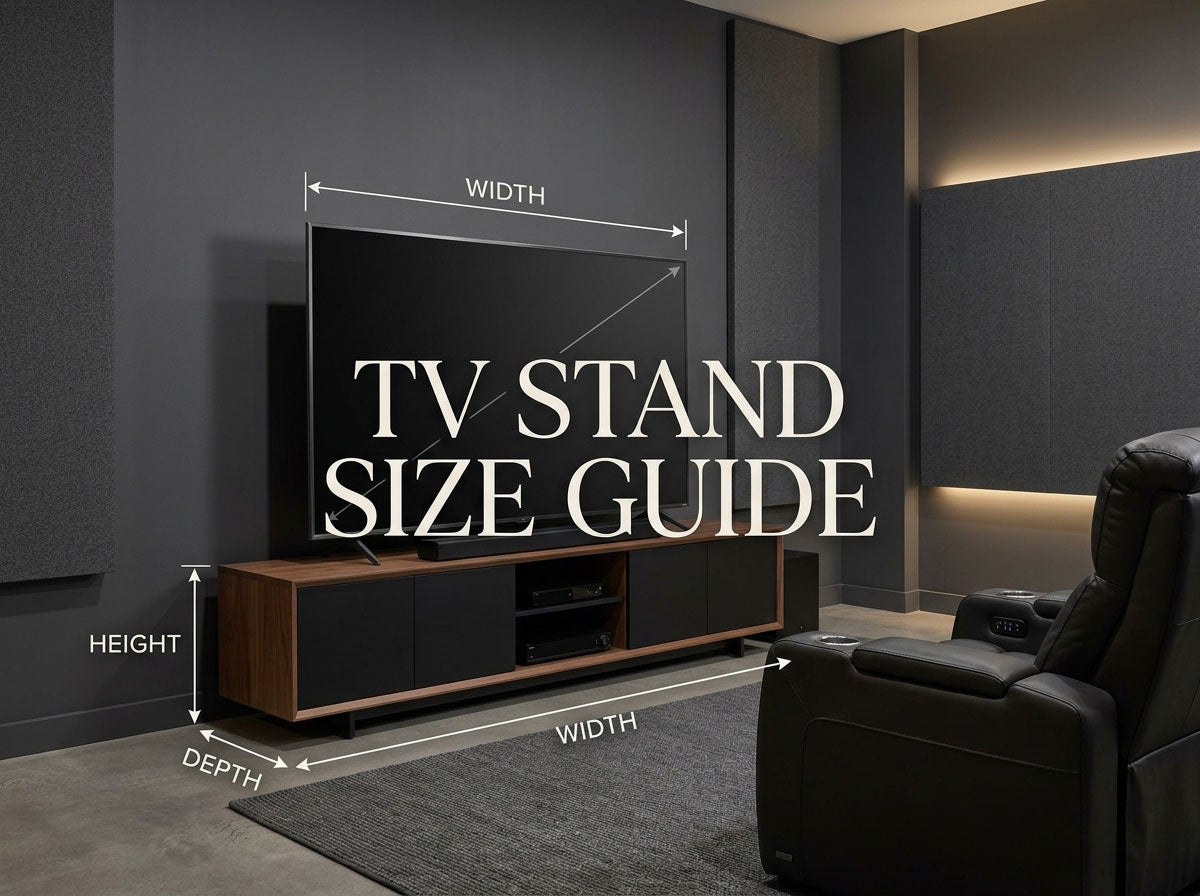
A TV stand can look perfectly sized online and still be wrong once it reaches your room. The television may fit across the top but have feet that sit too close to the edge. The cabinet may be deep enough on the outside but too shallow for a receiver and its cables. Or the stand may place the screen noticeably above your natural viewing line.
The most reliable way to choose a TV stand is to check four things separately: the TV, your viewing position, the equipment, and the room.
The diagonal number on the TV box is only the starting point.
The 60-Second TV Stand Measurement Checklist
Before shopping, measure or look up these seven things:
- Actual TV width
- Width or spacing of the TV feet/pedestal
- Depth of the TV feet
- TV weight with the stand attached
- Your normal seated eye height
- Dimensions of equipment that must sit on or inside the console
- Available wall width and nearby doors, speakers, outlets, or walkways
For the first four, use the specification page for your exact TV model whenever possible.
A listing that says a cabinet “fits TVs up to 65 inches” can help you narrow the options, but it should not replace those measurements.
What Size TV Stand Do I Need?
A TV stand needs to pass four different fit tests.
| Fit Test | What to Check | What It Prevents |
|---|---|---|
| TV fit | TV width, feet, depth, weight | Poor support or an unstable fit |
| Viewing fit | Eye line and final screen height | A TV that sits unnecessarily high |
| Equipment fit | Interior space, plugs, cables, airflow | Electronics that technically fit but cannot be connected properly |
| Room fit | Wall width, speakers, doors, circulation | A cabinet that overwhelms or obstructs the room |
This is more useful than searching for a single “standard TV stand size.”
A cabinet can pass one test and fail another. A 70-inch-wide console may look balanced beneath a 65-inch TV but still be too tall for your seating position. Another may support the television perfectly while leaving insufficient usable depth for an AV receiver.
The right TV stand is a combination of dimensions, not one magic measurement.
Why TV Size Alone Does Not Tell You What Stand to Buy
TV size is measured diagonally across the screen.
That means a 65-inch TV is not 65 inches wide.
For a standard 16:9 screen, the approximate screen widths are:
| TV Size | Approx. 16:9 Screen Width |
|---|---|
| 43" | 37.5" |
| 50" | 43.6" |
| 55" | 47.9" |
| 65" | 56.7" |
| 75" | 65.4" |
| 85" | 74.1" |
These are useful planning estimates, not the dimensions you should use for a final furniture purchase. Bezels and chassis design change the actual television width. If you are still deciding on the television itself, use our home theater screen size guide before sizing the furniture around it.
The bigger surprise is often the stand footprint underneath the TV.
Sony's current 2026 specifications provide a useful real-world example. Its 65-inch A60 is approximately 56.81 inches wide and has a standard stand width of about 31.69 inches. Another 65-inch model, the BRAVIA 3 II XR30M2, is about 57 inches wide but has an outside stand width of 49.44 inches. Sony's model specifications illustrate how much the support footprint can vary even within the same nominal screen size.
Same nominal screen size. Similar overall TV width. Very different support footprint.
That is why:
You should shop for the TV you actually own, not just the diagonal-size category it belongs to.

How Wide Should a TV Stand Be?
There are two different questions hiding inside “How wide should my TV stand be?”
One is functional.
The other is visual.
First: Find the Minimum Functional Width
If the television sits directly on the furniture, its feet or pedestal must fit securely on the intended support surface.
Check:
- actual foot or pedestal width;
- foot depth;
- top-surface dimensions;
- TV weight;
- furniture load rating.
Do not assume the television's overall body width tells you where its feet are.
And do not use decorative proportions as a substitute for these checks.
The U.S. Consumer Product Safety Commission recommends placing televisions on furniture designed to hold a TV and securing TVs and furniture to reduce tip-over risk. See the CPSC Anchor It guidance for current safety information.
Second: Choose the Visual Width
Once the television fits safely, you can decide how much cabinet you want visible beside it.
A useful design starting point is to let the console extend roughly 4–6 inches beyond each side of the TV. That range is used in current furniture guidance as a visual-proportion rule, not as a universal safety requirement.
That gives you a simple planning shortcut:
Visual starting width = actual TV body width + about 8–12 inches
For example, if your television is actually 57 inches wide, a console around 65–69 inches wide is a reasonable place to begin comparing proportions.
But it is only a starting point.
A 69-inch cabinet is not automatically better than a 63-inch one if the wider piece crowds your speakers or doorway.
Use this order:
Support the TV → protect room clearance → judge visual proportion.
That order prevents a design rule from becoming a bad room-layout decision.
A Quick TV Stand Width Reference
If you do not yet know the exact television model, this table can help you estimate the general furniture category to start browsing.
| TV Size | Approx. Screen Width | Rough Visual Planning Range* |
|---|---|---|
| 43" | 37.5" | About 46–50" |
| 50" | 43.6" | About 52–56" |
| 55" | 47.9" | About 56–60" |
| 65" | 56.7" | About 65–69" |
| 75" | 65.4" | About 73–77" |
| 85" | 74.1" | About 82–86" |
*These ranges add approximately 4–6 inches of visible furniture on each side of the estimated screen width. They are visual planning ranges only. Before purchasing, replace the estimated screen width with the exact TV body's dimensions and verify its feet, depth, weight, and the furniture specifications.
That distinction is important.
A size chart should help you start shopping. It should not override the specifications of the television sitting in your room.
How Tall Should a TV Stand Be?
TV stand height is really a screen-position decision.
The console determines how high the TV sits when the television is standing on it, but the comfortable result depends on where your eyes are when you watch.
Samsung recommends sitting in your normal viewing position and measuring eye level when determining TV height. Its commonly referenced screen-center position is a general starting point rather than a fixed height for every room. See Samsung's TV placement guidance.
That is the part worth paying attention to.
Measure From the Seat You Actually Watch From
Sit where you normally watch television.
Do not deliberately sit straighter because you are measuring.
If you normally recline, check that position too.
Then measure your eye height from the floor and compare it with where the center of the TV screen would sit once the television and its feet are placed on the proposed cabinet.
You do not have to make screen center perfectly equal to eye height. The purpose of the measurement is to catch combinations that are clearly uncomfortable before you buy them.
A tall console may look substantial in a product photo, for example, but if it pushes an already-large television well above your normal viewing line, a lower media cabinet may make more sense.
Use the TV's Actual Height With Stand
If the manufacturer provides a TV with stand dimension, use it.
The feet add height beneath the TV chassis, so measuring only the cabinet and estimating the screen from its diagonal leaves out part of the setup.
Also check what needs to sit between the cabinet and television.
A soundbar should not unexpectedly cover the lower part of the TV, interfere with controls, or force the screen higher than planned.
The most useful rule is therefore not:
Buy a 20-inch TV stand.
It is:
Choose the cabinet height only after you know where the screen will actually land from your normal seat.
If you are still working out how screen size and seating distance relate, the TV viewing distance calculator can help you check that relationship without turning this TV stand guide into a full viewing-distance calculation.

How Deep Should a TV Stand Be?
Width gets more attention, but depth causes some of the most frustrating fit problems.
There are two measurements to separate.
Top-Surface Depth
If the TV sits on the cabinet, the top must accommodate the television's feet or pedestal correctly.
Check the manufacturer's stand depth rather than estimating it from the television body.
Usable Interior Depth
If the furniture also holds electronics, its outside depth may tell you surprisingly little about how much space the equipment actually gets.
The BDI Corridor 8173 is a useful example. The console measures 20.25 inches deep overall, but its center compartment is listed at 15.75 inches deep, while the side compartments provide 18.25 inches. The design also incorporates rear access, cable management, and flow-through ventilation. See the BDI Corridor 8173 specifications.
That illustrates a buying principle that applies far beyond one cabinet:
A 20-inch-deep TV stand does not necessarily give you 20 inches of usable equipment depth.
Measure Devices With Their Connections in Mind
Suppose your receiver body is 15 inches deep.
A 15.5-inch interior compartment may initially look sufficient.
But the receiver is not used without:
- HDMI cables;
- speaker terminals;
- power connections;
- network cables;
- room for cable bends.
The equipment may fit as an object while failing as an installed system.
So before choosing a cabinet for substantial AV equipment, check:
device body + connections + manufacturer-required ventilation + access
rather than device depth alone.
The detailed thermal requirements belong to the equipment manufacturer's manual, not to a universal TV-stand rule.

PLAN THE WHOLE TV WALL
Still Choosing the Screen and Viewing Distance?
TV stand dimensions work best when the screen, viewing distance, furniture footprint, and seating position are planned together. Check those relationships before locking in the cabinet size.
What Changes With a Wall-Mounted TV?
Wall mounting changes the TV stand decision considerably.
If the TV sits on the cabinet, the furniture has three jobs:
support + storage + visual balance
If the television is wall-mounted, the cabinet may only need to provide:
storage + equipment space + visual balance
The television's feet no longer dictate cabinet width.
The cabinet height no longer determines screen height.
That gives you more freedom to use a low-profile console, choose a narrower piece when storage is limited, or use a wider cabinet simply because it balances the TV wall better.
However, wall mounting does not eliminate planning.
You should also decide before mounting where the soundbar, game consoles, receiver, streaming hardware, outlets, and cables will go.
A useful sequence is:
Set the viewing height first → place the TV → choose the console around equipment and proportion.
That is almost the reverse of a television that stands directly on the furniture.
Do Your Electronics Actually Fit?
A TV stand rarely holds only a TV.
Before purchasing, make a quick equipment list.
For each device, check:
- body width;
- body height;
- body depth;
- cable connection location;
- ventilation requirements;
- how often you need physical access.
A soundbar sitting on top creates a different furniture requirement from an AV receiver behind a door.
A game console may benefit from easy-access shelving.
A receiver makes rear access, cable room, and ventilation much more important.
The key distinction is:
Exterior furniture dimensions tell you whether the cabinet fits the room. Interior usable dimensions tell you whether the cabinet fits your equipment.
This guide only needs to take that decision far enough to prevent a sizing mistake. Detailed AV cabinet airflow and equipment-rack planning should be handled separately according to the specific electronics involved.
Does the TV Stand Fit the Room?
After the TV and equipment fit, there is one final test: the room.
A simple way to check is to mark the proposed cabinet width and depth with painter's tape.
Then use the room normally.
Look at:
- the wall from your usual seat;
- speaker locations;
- nearby doors;
- walking space;
- outlets;
- floor vents;
- access behind the cabinet.
This often reveals something a product photo cannot show.
A console may be technically appropriate for the TV but visually dominate a narrow wall. An extra-wide cabinet may remove the space you wanted for floorstanding speakers. A deep cabinet may turn a comfortable passage into an awkward one.
In a home theater or media room, that tradeoff becomes especially important because the TV wall may also need to accommodate speakers, a center channel, subwoofer placement, acoustic elements, or other equipment.
If the TV stand is only one part of a larger room plan, the home theater furniture selection guide can help place this decision in the context of the other furniture in the space. For complete room dimensions, viewing distance, and seating clearance, use the home theater dimensions guide rather than expanding this TV stand decision into a full layout guide.
Furniture should fit the system and the room—not force the rest of the room to adapt to it.

The TV Stand Mistakes Most Worth Avoiding
Buying From the Diagonal Number Alone
A 65-inch label does not tell you the television's exact body width, foot position, stand depth, or weight.
Use the exact model specifications.
Treating “Wider Than the TV” as a Structural Rule
Extra width can improve visual balance, but the actual support test is whether the television's stand or feet fit correctly and the furniture is intended to support the load.
Separate physical fit from visual proportion.
Choosing Height Before Sitting Down
Generic TV stand heights cannot account for your actual furniture, body position, or viewing posture.
Measure from the place where you watch.
Measuring a Receiver Without Its Cables
The chassis may fit while the installed device does not.
Allow for the connections behind it.
Looking Only at Exterior Depth
Interior compartment depth may be several inches less than the cabinet's overall depth.
Always look for usable internal dimensions when electronics must go inside.
Letting the Cabinet Consume the Entire TV Wall
More width means more storage, but it also means less room for speakers, doors, circulation, and future changes.
A bigger stand is only useful when you need what those extra inches provide.
Buying for a Future TV You May Never Own
Some future-proofing is sensible.
If you genuinely expect to move from a 55-inch TV to a 65- or 75-inch screen, allowing some flexibility can prevent an unnecessary furniture replacement.
But do not compromise today's room for an imagined 85-inch TV that may never appear.
Plan for a realistic next step, not the largest theoretical screen.
The Final TV Stand Check Before You Buy
Before ordering, you should be able to answer every question in this table.
| Question | Best Place to Check |
|---|---|
| What is the TV's actual width? | Exact TV specifications |
| How wide are the feet or pedestal? | Exact TV specifications |
| How deep is the TV stand/footprint? | Exact TV specifications |
| What does the TV weigh with its stand? | Exact TV specifications |
| Is the furniture designed to support it? | Furniture specifications |
| Where will the screen center end up? | Your seated measurement + TV dimensions |
| Will my electronics actually fit? | Device dimensions + cabinet interior dimensions |
| Is there room for plugs and cables? | Physical layout + cabinet rear access |
| What ventilation does the equipment need? | Equipment manufacturer instructions |
| Does the cabinet still work with speakers and circulation? | Your actual room |
If you are guessing at one of those answers, that is probably the measurement to find before you buy.
FAQ
What size TV stand do I need for a 65-inch TV?
A 65-inch 16:9 screen is approximately 56.7 inches wide, so a console in roughly the mid-60-inch range is a useful visual starting point. But do not purchase from that estimate alone. Check the exact TV body's width, foot spacing, foot depth, weight, and the furniture's support specifications first.
Should a TV stand be wider than the TV?
A TV stand often looks more balanced when it extends beyond the television on both sides. Roughly 4–6 inches per side can be used as a visual starting point, but it is not a universal safety requirement. If the TV sits on the furniture, the support footprint and furniture load specifications come first.
Can a TV be wider than the stand?
A wall-mounted television can easily be wider than the console below because the furniture is not supporting it. If the TV sits directly on the stand, do not judge the setup by body width alone. Verify that its feet or pedestal fit fully and appropriately on furniture intended to support the television.
How tall should a TV stand be?
There is no single best TV stand height. Sit in your normal viewing position, determine your eye level, and check where the screen center would end up after the television is placed on the proposed cabinet. Seating height, TV dimensions, and viewing posture all affect the result.
How deep should a TV stand be?
If the television sits on it, the top must be deep enough for the TV's feet or pedestal. If electronics are stored inside, check usable interior depth separately and allow for connectors, cable bends, airflow, and service access.
What size TV stand should I get for a wall-mounted TV?
You have more flexibility because the cabinet no longer supports the television. Choose width based on room proportion and storage needs, and choose height based on equipment and visual balance rather than using the console to determine screen height.
How much space should there be between a wall-mounted TV and a console?
There is no universal gap. First set the TV at a comfortable viewing height, then make sure the console, soundbar, décor, and cable arrangement fit below it without crowding the screen.
Is a deeper TV stand better for an AV receiver?
Not necessarily. What matters is the cabinet's usable interior space and whether the receiver has enough room for its connections, ventilation, and service access. A deeper exterior measurement is only useful if that extra depth is available where the equipment actually sits.
Measure the Setup, Not Just the TV
A useful TV stand size guide should narrow your choices—not pretend that every 55-, 65-, or 75-inch television needs exactly the same cabinet.
Start with the exact TV. Confirm its body, feet, depth, and weight. Then check your seated viewing position, the equipment you need to store, and the space the furniture takes from the room.
If you are planning a complete media room or home theater, make the TV stand part of the same floor-plan check as the screen, speakers, seating, and circulation. Once those relationships work together, width, height, and depth stop being isolated furniture specifications and become what they should be: dimensions that help the whole room work better.
For the next step, use the home theater furniture guide to coordinate the rest of the room, or explore home theater seating once you know how much floor space the TV wall and circulation actually leave for seating.
