





























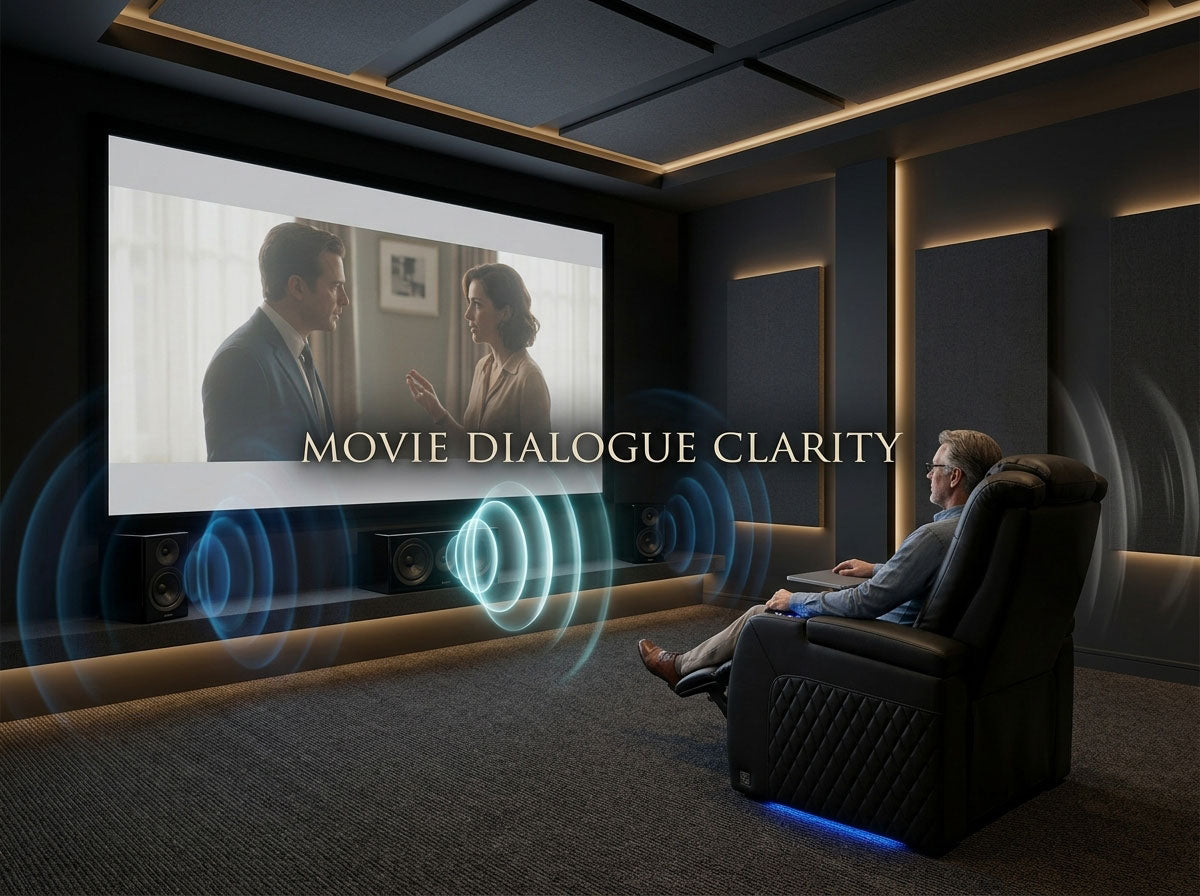
If you keep turning movies up for conversations and back down for explosions, the problem is not necessarily that the dialogue was simply recorded “too quietly.”
Movie dialogue can become hard to understand at several different points between the original mix and your ears: the soundtrack may have a wide dynamic range, your device may be handling a multichannel track differently than expected, the center speaker may not be reaching the seats clearly, room reflections or background noise may mask speech, or one listening position may simply work better than another.
The useful question is not:
How do I make everything louder?
It is:
Where is the dialogue losing clarity?
That distinction matters because turning up the master volume can solve audibility while leaving intelligibility almost unchanged.
Start Here: What Does the Problem Actually Sound Like?
Before changing settings, identify the symptom.
| What you notice | What it suggests | What to test first |
|---|---|---|
| Dialogue is clear but far too quiet compared with explosions and music | Wide dynamic range or level balance | Dialogue enhancement or dynamic-range controls |
| Voices are loud enough but sound muffled, smeared, or indistinct | Speaker path, room reflections, processing, or listening position | Speaker placement and another seat |
| Dialogue is worse on one app, input, or movie | Source, audio track, or playback handling | Another source or audio track |
| Dialogue is clear in the center seat but worse toward one side | Listening-position or speaker-coverage issue | Move seats before changing hardware |
| Dialogue becomes difficult when the projector, HVAC, kitchen, or people are noisy | Background-noise masking | Replay the same scene with the room quieter |
| Dialogue is difficult on almost everything, including headphones | The theater may not be the only factor | Compare other listening situations before changing the system |

This simple classification prevents one of the most common mistakes in home audio troubleshooting: using one fix for several different problems.
Quiet dialogue is not one problem.
Why Turning Up the Volume Often Does Not Fix Dialogue
There are two different ideas here: audibility and intelligibility.
Audibility asks whether the voice is loud enough to hear.
Intelligibility asks whether you can understand the words.
If a whisper is simply too soft, increasing volume may help immediately. But if the voice is already loud enough and consonants are blurred by reflections, blocked by poor speaker placement, masked by background sound, or buried inside a busy mix, more overall volume can make everything louder without making the sentence much easier to understand.
That is why some viewers reach a strange point where the movie feels loud but the dialogue still feels difficult.
A useful rule is:
If raising the volume makes the effects uncomfortable before the words become clear, stop treating the problem as master volume.
Why Movies Can Have Quiet Dialogue and Very Loud Effects
Movies are designed to create contrast.
A quiet conversation should not have the same impact as a crash, gunshot, score crescendo, or explosion. That difference between quieter and louder parts is part of the soundtrack's dynamic range.
At home, however, you may not be listening under the same conditions as a controlled cinema or mixing environment. You might be watching late at night, keeping the volume low for other people, sitting beside a running HVAC vent, or using a television whose speakers must reproduce the entire soundtrack from a thin cabinet.
The result is familiar: you set the volume around the loud scenes, and the quiet speech becomes harder to follow.
This is one reason modern playback systems increasingly separate dialogue enhancement from dynamic-range reduction.
On Apple TV 4K, for example, Enhance Dialogue is designed to make speech more prominent, while Reduce Loud Sounds reduces the difference between louder and quieter content. See Apple's current playback guidance.
Roku also offers speech or dialogue-enhancement features on supported devices that are intended to make voices easier to distinguish from background content. See Roku's dialogue-enhancement guidance.
Feature names and availability vary by TV, streamer, receiver, soundbar, and audio device, so treat these as examples rather than universal settings.
Before buying hardware, decide what bothers you more:
Are the voices too soft, or is the gap between voices and everything else too large?
Where Can Movie Dialogue Get Lost?
Think of dialogue as traveling through a chain:
Movie mix → audio track → playback device → speaker system → room → listening position → listener
A problem at any point can produce the same complaint:
“I can't hear what they're saying.”
But the correct fix depends on where the problem occurs.

This gives you a much better troubleshooting strategy than immediately blaming the movie, the television, or the center speaker.
Run This Five-Minute Test Before Buying Anything
Use one scene where you already know dialogue is difficult. Keep returning to that exact scene so you are comparing one variable at a time.
-
Raise only the overall volume. If the words become clear immediately but action scenes become excessively loud, dynamic range is probably part of the problem. If the dialogue remains muddy, look beyond volume.
-
Play a different movie or show. If only one title causes trouble, the content or source deserves more suspicion. If nearly everything sounds the same, your playback environment becomes more likely.
-
Try another app, input, or available audio track. A streaming app, disc player, television app, and external streamer may not all deliver or process audio in exactly the same way.
-
Move to another seat. Do not adjust anything else. If a move of a few feet makes voices noticeably clearer, the listening position is part of the problem.
-
Make the room temporarily quieter. Turn off a fan or HVAC system if practical, close a nearby door, or pause other household noise. Replay the same dialogue. If comprehension improves, the movie did not change—the competing noise did.

That last test is easy to underestimate.
A room does not need to feel obviously loud to mask quiet speech. Continuous noise can make the softer details that distinguish words harder to catch.
Check the Audio Track and Playback Setup Before Blaming the Speakers
Movies are commonly delivered in multichannel formats, while many people listen through two television speakers, a soundbar, headphones, or a speaker layout that does not match the original channel count.
That requires playback systems to adapt the program to the speakers that are actually available.
Dolby describes downmixing as the process that allows multichannel content to be reproduced through fewer speaker channels, and Dolby metadata can include information used in dialogue-level, dynamic-range, and center-channel handling. See Dolby's professional Dolby Digital guidance.
You do not need to understand the mathematics of a downmix to troubleshoot your room.
You only need to check whether the device thinks it is feeding the same type of system you actually have.
If you use TV speakers or a stereo system, test an available stereo track when one exists. If you use an AV receiver and discrete speakers, confirm that the selected speaker configuration matches the speakers physically connected.
If one source sounds wrong and another sounds normal through the same speakers, replacing those speakers is probably not the first move.
When the Center Channel Is Actually the Problem
In a conventional surround system, the center channel deserves attention because it carries a large share of onscreen dialogue.
Dolby's speaker guidance describes the center speaker as primarily responsible for dialogue and recommends positioning it above or below the display and directing it toward the listening area. See Dolby's speaker setup guidance.
But “check the center channel” should not automatically mean “turn it up.”
First look at the physical path.
- Is the center speaker buried deep inside a cabinet?
- Is a shelf edge directly in front of it?
- Is it aimed toward knees instead of ears?
- Is anything blocking the path between the speaker and the seats?
- Does the problem change when you move to another seat?
Then check calibration and channel level.
Only after those basics make sense should you decide whether the center speaker itself is inadequate.
And remember: this advice applies to systems that actually have a discrete center channel. A two-speaker TV or stereo system does not suddenly gain a physical center speaker because the soundtrack contains a center channel.
CHECK THE FRONT SOUNDSTAGE FIRST
Not Sure Whether the Speaker Setup Is Part of the Problem?
Before replacing a center speaker or changing channel levels, confirm what each speaker is supposed to do, how the front stage should relate to the listening position, and whether your current layout matches the room.
Check Your Home Theater Speaker SetupDialogue Enhancement and Night Mode Solve Different Problems
These features are often grouped together, but they should not be treated as interchangeable.
A dialogue or speech enhancement feature tries to make voices more prominent relative to other content.
A night mode, volume leveling, or dynamic-range control generally tries to reduce the jump between quiet and loud parts.
If your complaint is:
“I can understand the dialogue, but I have to turn it up too much.”
dynamic-range reduction may be the more useful experiment.
If your complaint is:
“The room is already loud enough, but the voices still disappear into everything else.”
dialogue enhancement may be more relevant.
Apple and Roku both currently provide versions of these tools on supported devices, although the exact names, behavior, and availability vary by model and playback chain.
Treat the feature name as a clue, not a universal standard.
Can the Room Make Dialogue Sound Muffled?
Yes.
The first sound from a speaker reaches you directly. Reflections then arrive from walls, floors, ceilings, furniture, glass, and other surfaces.
A small amount of room energy is normal. Too much poorly controlled reflected sound can make detail less distinct, especially when the room is hard and lively.
But do not jump from “dialogue is unclear” to “I need acoustic panels.”
First confirm that the problem persists across content and sources, that the speaker path is sensible, and that the listening position is not the obvious cause.
If the room really is producing strong reflections or echo, our guide to acoustic panels, diffusers, and bass traps covers treatment as a separate room-acoustics task.
Acoustic treatment should solve a room problem, not compensate for a playback setting you have not checked yet.
Why Dialogue Can Be Clear in One Seat and Worse in Another
This is where a generic “movie audio is bad” explanation often becomes less useful.
Sit in the center position and listen to a familiar conversation. Then move to the end of the couch without changing the volume.
If the dialogue changes substantially, the movie mix has not changed.
Your relationship to the speakers has.
Real living rooms rarely give every listener identical geometry. A wide couch, multiple rows, an off-center display, a reflective side wall, or the off-axis behavior of the front speakers can all make one seat easier to understand than another.
Reclining can also move your ears from the position used during setup.
That does not mean every user needs a perfect laboratory sweet spot. It means the seat is a diagnostic variable.

If dialogue changes dramatically when you change seats, stop treating it only as a movie-mix problem.
For rooms used by several people, our guide to home theater sound across multiple seats goes deeper into the main listening position, shared listening area, and calibration tradeoffs.
Do Not Ignore the Noise Around the Seat
Dialogue clarity is partly a competition.
A projector fan, ceiling fan, HVAC vent, dishwasher, kitchen conversation, game console fan, or people talking nearby may occupy enough of your attention to make quieter speech harder to understand.
This also helps explain why subtitles are not merely a workaround for “bad hearing.”
An AP-NORC poll of 1,182 U.S. adults found that viewers use subtitles for several reasons, including catching every word and dealing with surrounding noise. About four in ten adults under 45 said they often use subtitles, compared with about three in ten adults 45 and older. See the AP report on subtitle use.
If you use a projector and dialogue becomes easier to follow when projector noise is reduced, the relevant problem may be noise at the listening position rather than the soundtrack itself.
Our projector fan-noise guide covers that diagnosis separately.
Are Subtitles a Fix—or Just a Workaround?
They can be either, depending on your goal.
If your priority is simply enjoying the movie without missing lines, subtitles may be the most effective answer tonight.
There is nothing inherently wrong with that.
But subtitles do not tell you why the dialogue was difficult.
They can hide a poorly aimed center speaker, a noisy room, an unsuitable playback setting, or an extreme dynamic-range problem just as easily as they can help with an accent, quiet acting, or personal listening preference.
Subtitles can solve the viewing problem without diagnosing the audio problem.
That is why they belong in the solution set without becoming proof that something in your home theater is broken.
What Should You Change First?
The best order is usually the least expensive one.
Start by identifying whether the issue is loudness or intelligibility. Compare another title. Compare another source. Check the output format. Try the dialogue or dynamic-range tools already available on your device. Confirm that the speaker path is unobstructed. Move to another seat. Reduce nearby noise.
Only then start spending money.
If a dedicated center speaker is clearly inadequate for the room, a hardware change may eventually be justified.
If every seat sounds bad because the room is highly reflective, acoustic treatment may become relevant.
If one seat sounds significantly worse than another, placement or calibration may matter more than buying a more expensive speaker.
And if a dialogue-enhancement feature solves the problem at the listening level you actually use, that may be all the change you need.
The right fix is the one that changes the symptom you actually have.
When the Problem May Not Be the Home Theater
One final boundary is worth keeping.
If dialogue is difficult only in certain movies or only through one playback system, troubleshooting the theater makes sense.
If speech has become difficult across television, headphones, phone calls, and everyday conversation, increasing center-channel level is unlikely to explain everything.
That is a different question from home-theater optimization.
The purpose of this guide is not to diagnose hearing. It is simply to prevent every speech-clarity problem from being blamed automatically on movie mixing or AV hardware.
FAQ
Why is movie dialogue so quiet compared with explosions and music?
Movies often preserve a large difference between quieter and louder moments. When you set the overall volume around the loudest effects, conversations can feel too soft. Dynamic-range or night-mode controls may help when this is the main problem.
Why can I hear sound effects but not voices?
If effects are obvious but speech is difficult, first distinguish whether voices are too low or merely unclear. Playback configuration, center-speaker placement, room noise, reflections, and the listening position can all affect speech without making the rest of the soundtrack disappear.
Will a center speaker make movie dialogue clearer?
A properly placed center speaker can improve dialogue focus in a multichannel system because center channels are commonly used for onscreen dialogue. But adding one does not automatically fix poor placement, room problems, incorrect playback settings, or a source-specific issue.
Should I turn up the center channel?
It can be a useful test if you have a properly configured system with a discrete center speaker. Check placement, aiming, obstructions, and calibration first. Raising the center level should be a deliberate adjustment, not the first answer to every dialogue problem.
Does Night Mode make dialogue easier to hear?
It can when the main problem is excessive contrast between soft conversations and loud effects. Night Mode or dynamic-range compression generally reduces that contrast. A separate speech-enhancement feature may be more appropriate when dialogue specifically needs to stand out from background content.
Why is movie dialogue clearer through headphones?
Headphones remove much of the room from the playback chain and reduce competition from room reflections and some environmental noise. They also place the sound source much closer to the listener, although the exact result depends on the headphones and processing being used.
Can room acoustics really make dialogue harder to understand?
Yes. Strong reflections can reduce clarity even when speech is loud enough. But confirm the source, speaker setup, and listening position first so acoustic treatment is solving an actual room problem rather than a settings problem.
Why is dialogue clearer in the center seat than at the end of the couch?
The center seat may have better alignment with the front speakers, especially the center channel. Moving sideways changes the listening angle and the balance of direct and reflected sound. If the change is large, seating geometry should be part of the diagnosis.
Why do so many people use subtitles now?
People use subtitles for many reasons: to catch every word, deal with surrounding noise, understand accents, multitask, or accommodate personal listening preferences. Their popularity does not by itself prove that modern movie audio is universally defective.
If Dialogue Changes by Seat, Test the Listening Area Next
If movie dialogue is difficult in every seat, continue working backward through the source, playback settings, front speakers, and room.
If it becomes noticeably clearer when you move across the couch, the next step is different: treat the listening area as part of the sound system rather than continuing to raise the master volume.
Use our Home Theater Sound for Multiple Seats guide to compare the main listening position with the seats your family actually uses. If the room itself is still being planned, review the home theater seating layout guide before speaker positions and furniture locations become difficult to change.
Clearer dialogue often starts with a smaller change than a new sound system—once you know where the clarity is being lost.
